
How to Install OpenClaw on a Linux VPS (Secure Setup Guide)
OpenClaw (formerly known as Clawdbot/Moltbot) is the fastest-growing open-source project in the world right now. Developers are rushing to build this autonomous AI agent to manage their calendars, scrape the web, and execute complex coding workflows.
However, recent headlines have highlighted a terrifying reality. Giving an experimental AI agent root access to your personal MacBook or desktop is a massive security vulnerability. Between prompt injection attacks and runaway loops, deploying this tool locally is no longer recommended. If you want to safely install OpenClaw, you need an isolated, sandboxed server.
In this guide, we will show you exactly how to install OpenClaw on a secure Linux VPS so you can build your AI workforce without risking your personal files.
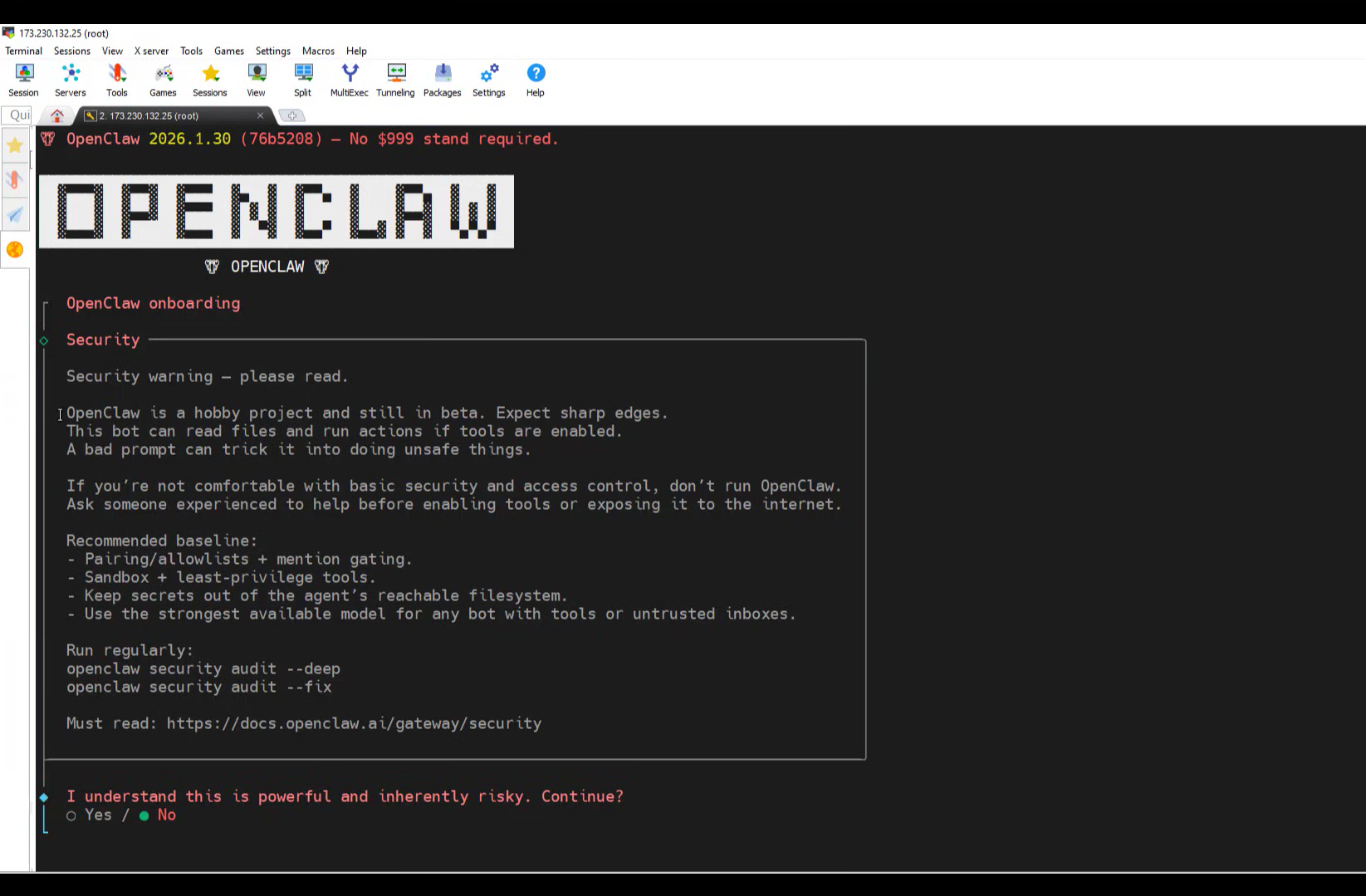
Table of Contents
1. Prerequisites: Choosing the Right Server
Before you install OpenClaw, you need to provision the hardware. Because this AI utilizes headless browsers (like Puppeteer) to automate web tasks, cheap servers will crash due to Out-Of-Memory (OOM) errors.
For a stable deployment, the golden rule is a minimum of 4 vCPUs and 8GB of RAM. Check out our in-depth guide on why you need an OpenClaw VPS to understand the full hardware requirements.
The Recommended Setup
- OS: Ubuntu 24.04 LTS or 22.04 LTS.
- Hardware: GigaNodes Cloud VPS Starter (₹1,800/mo) or higher.
- Access: SSH client (Terminal, PuTTY, or Termius).
2. Step 1: Update Your Ubuntu System
Once you have purchased your VPS and received your root IP address, open your terminal and SSH into the server:
ssh root@your_server_ipBefore you install third-party AI tools, always ensure your Linux repository lists and core packages are completely up to date. Run the following command:
apt update && apt upgrade -yInstall basic dependencies like curl and git if they are not already present on your image:
apt install curl git -y3. Step 2: Download and Install OpenClaw
The developers have streamlined the process, making it incredibly easy to install OpenClaw via a single automated script. This script will pull the latest binaries from GitHub and prepare the AI gateway.
To execute the installation, paste this command into your terminal:
curl -fsSL https://openclaw.ai/install.sh | bashThe script will take a few moments to download the packages. Once complete, it will automatically add the openclaw command to your system path.
4. Step 3: The Onboarding Wizard
Now that the core software is installed, you need to configure its “brain” (the LLM) and its “mouth” (your messaging apps). The easiest way to do this is by utilizing the built-in setup wizard.
Run the following command:
openclaw onboardThe terminal wizard will walk you through a series of interactive prompts:
- Select your LLM Provider: You can input your API keys for Anthropic (Claude), OpenAI (GPT-4), or select a local provider.
- Configure your Channels: The wizard will provide instructions to link your agent to WhatsApp, Telegram, or Discord.
- Set Agent Permissions: You will be asked if the agent is allowed to execute shell commands autonomously. (Since you chose to safely install OpenClaw on an isolated VPS instead of your PC, you can safely enable this!)
5. Scaling Up: From VPS to Bare Metal
Now that you know how to install OpenClaw, you can start automating your daily workflows. However, as you build out custom tools, attach massive vector databases (RAG), and deploy multiple independent agents, you may outgrow a virtualized environment.
When you are ready to scale your AI operations to an enterprise level, you will need the unshared, raw power of dedicated hardware. Check out our comprehensive guide on the Best Dedicated Server Hosting in India, or see exactly how much you can save on raw compute power in our AWS vs Bare Metal comparison.
Ready to Build Your AI Agent?
Deploy a secure, high-performance Ubuntu VPS today and get your OpenClaw agent running in under 5 minutes.